
Your website can look professional, explain your services clearly and work perfectly when you open it on your own computer.
Yet it can still struggle to bring in traffic, enquiries or new customers.
Why?
Because many of the problems affecting a website are almost invisible to the person running the business.
Google may be struggling to understand an important page. Your website may load too slowly on mobile. A potential customer may be seeing an unhelpful search result. Important pages may be difficult to discover. Your content may answer the wrong questions — or not answer them clearly enough.
You don’t need to become an SEO specialist to find out whether these problems exist.
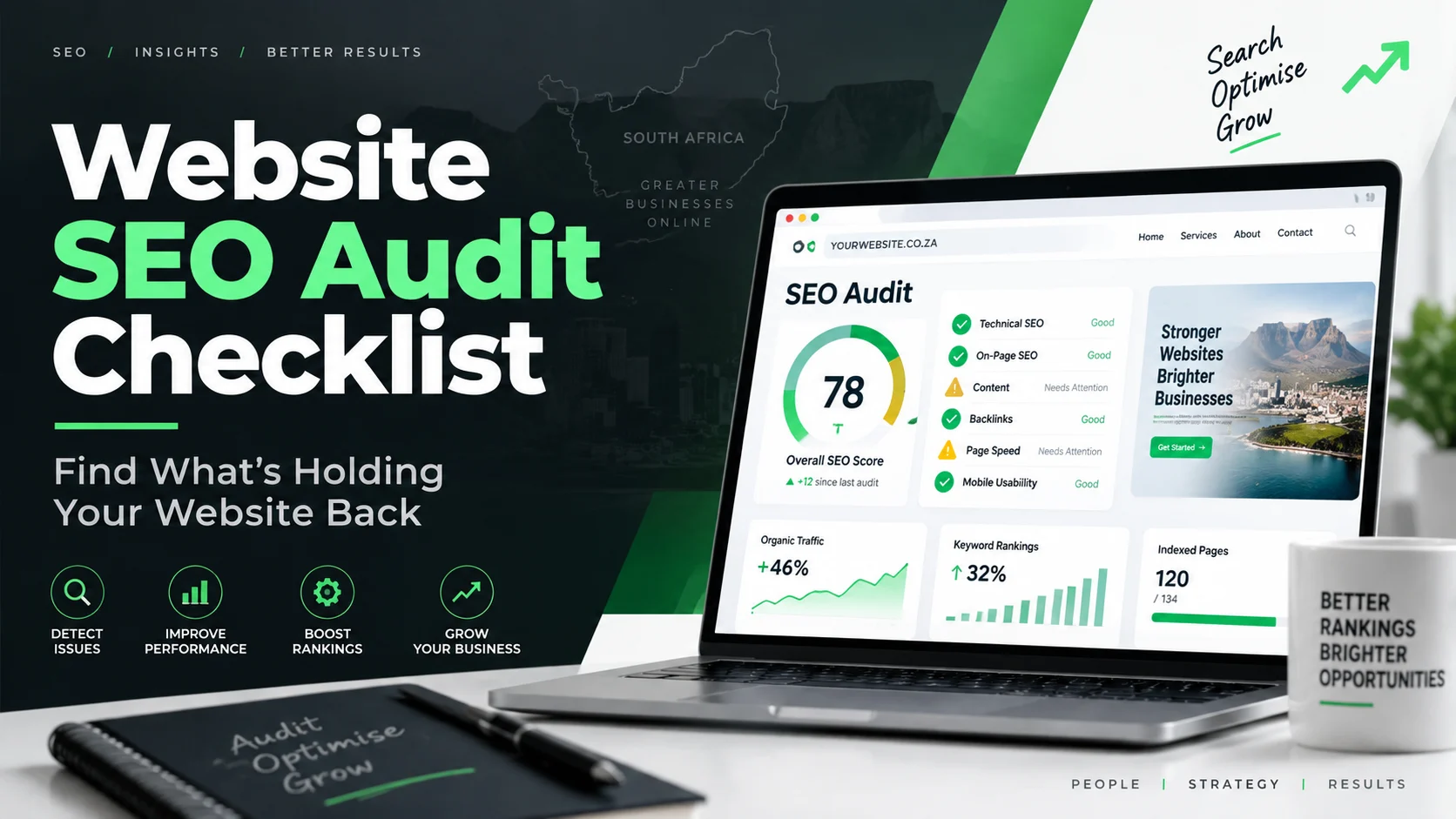
A website SEO audit helps you identify what may be holding your website back, understand which issues deserve attention first and decide what to fix next.
This guide explains the six areas South African businesses should look at when reviewing their website — without drowning you in technical jargon.
What Is a Website SEO Audit?
A website SEO audit is essentially a health check for your website.
It looks at the factors that can affect how easily search engines understand your site and how effectively visitors can use it.
That can include:
- Whether Google can find important pages
- How clearly each page explains its topic
- Website speed and mobile experience
- Content quality
- Internal links and site structure
- Technical SEO problems
- Structured data
- Selected AI visibility signals
The purpose is not to produce the longest possible list of errors.
The real value of an audit is answering three questions:
What is wrong?
How important is it?
What should we fix first?
Why This Matters for South African Businesses
For many customers, your website is part of the decision-making process long before they call, email, complete a form or walk through your door.
Someone may search for a supplier in Johannesburg.
Another customer may compare service providers in Cape Town.
A procurement manager may research your company before requesting a quotation.
A potential client may find three businesses offering something similar and choose the one that is easiest to understand and trust.
Your website therefore has more than one job.
It needs to be:
- Discoverable
- Fast enough to use
- Clear about what you offer
- Easy to navigate
- Trustworthy
- Helpful to people who are comparing options
- Structured well enough for search engines to understand
SEO is not simply about getting a page higher on Google.
For a business, it is about making it easier for the right people to find you, understand you and take the next step.
Signs Your Website May Need an SEO Audit
You don’t have to wait until something goes badly wrong.
An audit is worth considering if:
- Your website gets little organic traffic
- Rankings have dropped
- Leads from the website are disappointing
- You recently redesigned the website
- You moved to a new domain
- New pages or products have been added
- The website feels slow
- You are unsure whether Google is indexing the right pages
- You have invested in content but are not seeing results
- Your website has not been reviewed for SEO in several months
Sometimes the problem is obvious.
Often it isn’t.
That is where an audit becomes useful.
Not sure what’s holding your website back?
BlinkNow’s free Website Audit checks more than 60 SEO, performance, content and AI-related factors and organises the findings by priority.
Find Out What’s Holding Your Website Back
No signup required.
The 6 Areas Every Website SEO Audit Should Check
You could turn an SEO audit into a list of hundreds of individual technical checks.
For a business owner or marketing manager, that isn’t particularly helpful.
It is easier to think about your website in six areas.
1. Can Google Find and Understand Your Important Pages?
Before a page can generate traffic from search, search engines first need to be able to find and understand it.
That sounds obvious, but websites can accidentally create barriers.
An audit may investigate things such as:
- Crawlability
- Indexation
- XML sitemaps
- robots.txt
- HTTPS
- Canonical tags
- Redirects
- Broken links
You do not necessarily need to understand how every one of these works.
What matters is what they can affect.
Why this matters to your business
Imagine spending time and money creating an important service page only for a configuration issue to prevent search engines from treating it correctly.
To you, the page looks fine.
To Google, there may be uncertainty about whether it should appear in search results at all.
A technical audit helps uncover these hidden problems.
A useful question to ask
Can Google reliably find the pages that matter most to my business?
If the answer is unclear, start here.
2. Does Each Page Clearly Explain What It Is About?
Once Google can access a page, it needs to understand it.
So does your customer.
A good webpage should quickly communicate:
- What the page is about
- Who it is for
- What problem it solves
- What the visitor should do next
Search engines use signals such as page titles, headings, URLs and page content to understand context.
An audit may therefore review:
- Page titles
- Meta descriptions
- H1 headings
- H2 and H3 structure
- URLs
- Keyword usage
- Duplicate titles or descriptions
Why this matters to your business
Your search listing may be someone’s first impression of your company.
Consider a generic title such as:
Services | Home
Compare it with:
Commercial Solar Installation in Johannesburg | Company Name
The second result immediately gives the searcher more context.
Good optimisation is not about stuffing a keyword everywhere.
It is about making each page unmistakably clear.
A useful question to ask
Would someone looking at this page immediately understand what we offer and why it is relevant to them?
3. Is Your Website Fast and Easy to Use?
People are not very patient with websites.
If a page takes too long to become usable, shifts around while loading or works badly on a phone, visitors may leave before they ever see your offer.
This is why performance and mobile experience belong in an SEO audit.
BlinkNow’s tool includes Core Web Vitals and PageSpeed-related analysis as part of its checks.
You may see terms such as:
- Largest Contentful Paint
- Cumulative Layout Shift
- Total Blocking Time
- PageSpeed
- Mobile usability
Those names are mainly useful to the person fixing the website.
As a business owner, think about them more simply:
Does the website load quickly?
Visitors should not be staring at an empty screen.
Does the page stay stable?
Buttons and text shouldn’t suddenly move while someone is trying to interact with them.
Does it work comfortably on mobile?
Users should not need to pinch, zoom or struggle with tiny buttons.
Why this matters to your business
A slow or frustrating website can hurt more than search visibility.
It can also affect:
- Enquiry form completion
- Product browsing
- Quote requests
- Customer trust
- Conversion rates
A visitor doesn’t care whether the problem came from a plugin, a large image or JavaScript.
They simply know the website was frustrating.
4. Does Your Content Actually Help the Customer?
Technical SEO can make content easier to discover.
It cannot make weak content useful.
One of the most important parts of an audit is therefore reviewing what your pages actually say.
An audit may look at:
- Thin content
- Readability
- Heading structure
- Content organisation
- Word count
- Lists and tables
- Repetition
- Keyword usage
- Trust information
But the most important test is simpler:
Does this page genuinely help someone make progress?
Imagine someone lands on your service page after searching for a solution.
Do they learn:
- What you actually do?
- Who the service is intended for?
- What problems you solve?
- How the process works?
- Why they should trust you?
- What happens next?
- How to contact you?
If the answers are difficult to find, adding more keywords will not fix the underlying problem.
Why this matters to your business
Content should not exist simply because someone said, “We need SEO copy.”
Good content reduces uncertainty.
It helps the reader move from:
I’m looking for information
to
This company may be able to help me.
5. Can Visitors and Search Engines Easily Navigate Your Website?
A website is not a collection of isolated pages.
It should work as a connected system.
Internal links help users move naturally from one useful page to another.
For example:
A visitor reading an article about SEO problems might need to move to:
- An SEO service page
- A website development page
- A website audit
- Another related guide
- A contact or consultation page
An audit can uncover:
- Broken links
- Important pages with very few links
- Poor navigation
- Pages buried too deeply
- Weak anchor text
- Missing relationships between related pages
Why this matters to your business
Poor navigation creates friction.
A potential client may be interested in what you offer but struggle to find:
- Pricing
- Services
- Case studies
- Contact details
- Product information
- The next step
That’s not just an SEO issue.
It’s a customer journey issue.
A useful question to ask
If someone lands on any important page of our website, is the next useful step obvious?
6. Is Your Website Structured for Modern Search?
Search is continuing to evolve.
Traditional search engines remain important, but businesses are also paying more attention to how clearly online information can be interpreted by AI-powered systems.
BlinkNow’s audit includes additional checks related to structured content, AI bot access, content extractability, schema and AI readiness.
This does not mean businesses should abandon traditional SEO and chase every new AI trend.
The fundamentals still matter:
- Clear content
- Useful answers
- Logical headings
- Reliable business information
- Structured data
- Accessible pages
- Strong website architecture
These foundations help both people and machines understand what your business is about.
What about AI content detection?
BlinkNow also includes an AI content detector as an additional diagnostic signal.
Treat that score carefully.
An automated detector should not be used as absolute proof that content was written by AI or by a human.
The more important questions are:
- Is the content accurate?
- Is it useful?
- Is it original enough to add value?
- Does it represent the business properly?
- Does it answer the reader’s question?
- Has someone with appropriate knowledge reviewed it?
AI can assist with content production.
Quality control still belongs to the business.
What Should You Fix First?
One of the easiest mistakes to make after an audit is treating every warning as equally urgent.
It isn’t.
A practical order is:
1. Problems preventing important pages from being found
If search engines cannot properly access or index key pages, deal with those issues first.
2. Serious technical errors
Fix broken pages, incorrect redirects, HTTPS problems and other major technical issues.
3. Problems affecting visitors
Address serious speed, mobile and usability problems.
4. Your commercially important pages
Improve the SEO and content of pages most closely connected to your products, services and enquiries.
5. Content quality and site structure
Strengthen useful information, internal links and page organisation.
6. Additional optimisation opportunities
Once the fundamentals are working, move on to structured data, AI-readiness improvements and smaller enhancements.
BlinkNow’s current audit report groups findings by severity, including Critical, Warning and Passed results, helping users see what requires attention first.
You Don’t Need to Check All of This Manually
Reading a checklist is useful.
Manually checking every page title, technical directive, mobile metric and SEO configuration is another matter.
That is where an automated audit saves time.
BlinkNow’s Website Audit can check more than 60 factors using website analysis and PageSpeed data, then return the issues in priority order. The report can also be downloaded as PDF or exported as CSV.
How it works
1. Enter your website URL
Paste the public website address you want to check.
The tool works with platforms including WordPress, Shopify, Wix, Squarespace and custom websites.
2. Run the audit
BlinkNow automatically analyses the website.
No installation or technical knowledge is required.
3. Review the report
Start with the highest-priority problems rather than trying to fix everything.
Most audits take approximately 30–60 seconds.
What you receive
The audit can include:
- Overall SEO score
- Critical issues
- Warnings
- Passed checks
- Fix recommendations
- Core Web Vitals data
- AI readiness information
- PDF download
- CSV export
See what’s happening on your own website
You don’t need to guess which of these problems applies to you.
60+ checks. No signup. Results in under a minute for most websites.
What Do You Do After the Audit?
The report is the diagnosis.
What happens next depends on what it finds.
If there are only a few simple problems
You may be able to fix them internally.
For example:
- Rewrite a page title
- Improve a meta description
- Add missing content
- Correct a broken internal link
- Improve a heading
- Add useful image descriptions
If the problems are technical
Share the report with your web developer.
They can investigate items such as:
- Website speed
- Redirect problems
- Indexing
- Canonicalisation
- Structured data
- Mobile issues
- Technical configuration
If the website has bigger strategic problems
This is where human SEO input becomes more valuable.
An automated tool can identify measurable problems.
It cannot fully decide:
- Which market you should target
- Which competitors matter most
- Which keywords represent commercial opportunities
- Which content should be created next
- Which pages should be prioritised
- How SEO should connect with paid media, content and lead generation
The BlinkNow tool itself makes this distinction: the automated audit provides the technical foundation, while strategic interpretation, competitor analysis and broader campaigns benefit from human expertise.
When Should You Audit Your Website?
You don’t need to check it every day.
A full audit makes sense after major website changes such as:
- A website redesign
- A domain migration
- A new content strategy
- A CMS change
- Major development work
- Significant additions to the website
BlinkNow’s current guidance recommends a fuller audit around every 3–6 months, as well as after significant website changes.
The important thing is consistency.
Websites change.
SEO problems can appear even when nobody intentionally changed the SEO.
Can a Free Website Audit Replace an SEO Specialist?
Not entirely.
A good automated audit is excellent at finding measurable problems quickly.
It can tell you things such as:
- A title is missing
- A page is slow
- A link is broken
- A technical tag is incorrectly configured
- Mobile performance is weak
But business growth involves interpretation.
For example:
An audit might tell you that a service page needs work.
A strategist still needs to ask:
Is this the right service to prioritise?
What are customers searching for?
What are competitors doing better?
Does this page support an enquiry?
Should we improve this page or create a new one?
Tools find signals.
People make decisions.
The most effective approach uses both.
Stop Guessing Why Your Website Isn’t Performing
When a website isn’t generating the traffic or enquiries you expected, it can be tempting to immediately:
- Redesign everything
- Publish more blogs
- Increase advertising
- Change your messaging
- Rebuild pages
- Blame Google
Sometimes those actions may eventually make sense.
But first, find out what’s already happening.
A website audit gives you a clearer starting point.
You can see what needs attention, what is already working and where your team should focus next.
BlinkNow’s free audit analyses more than 60 SEO, technical, performance, content and AI-related factors and turns the findings into a prioritised report.
Your website shouldn’t leave you guessing.
Run Your Free BlinkNow Website Audit
No signup.
No installation.
No technical knowledge required.
PDF and CSV reporting available.
Frequently Asked Questions
What is a website SEO audit?
A website SEO audit is a review of technical, content, performance and on-page factors that may affect how easily search engines can understand a website and how effectively visitors can use it.
The goal is to identify problems and decide what should be improved first.
Can I audit my website for free?
Yes. BlinkNow’s Website Audit checks more than 60 factors without requiring signup and provides a prioritised report.
Do I need SEO knowledge to use the audit?
No. The tool is designed to run without technical knowledge. It organises the findings so the most important problems can be reviewed first.
How long does the BlinkNow website audit take?
Most audits take approximately 30–60 seconds, depending on the site and external data being retrieved.
What does the audit check?
The audit covers areas including technical SEO, on-page optimisation, website performance, Core Web Vitals, mobile factors, content, structured data and selected AI-readiness signals.
Can I download the results?
Yes. Audit results can be downloaded as a PDF or exported as CSV for further review or sharing with your team.
Can I use it for an eCommerce website?
Yes. The current tool includes checks relevant to eCommerce websites, including product-page optimisation, duplicate-content issues, product/review schema and performance.
How often should I audit my website?
A fuller audit every three to six months is a reasonable starting point, and you should consider another audit after major changes such as a redesign, migration or CMS update.
Does a good SEO score guarantee better rankings?
No.
An audit can identify technical and on-page problems, but rankings can also depend on competition, content quality, authority, search intent, links and wider SEO strategy.
Use the audit as a diagnostic starting point rather than a guarantee.